声明
本文代码均保存在
https://github.com/super-213/business_data_analysis
有需要的可以自行下载
前言
查看第10章的代码 发现其主要是特征工程与数据预处理的代码 因此本章主要罗列各种特征工程与数据预处理的方法
查看数据
1
2
| df = pd.read_excel('股票客户流失.xlsx')
df.head()
|
| 账户资金(元) |
最后一次交易距今时间(天) |
上月交易佣金(元) |
本券商使用时长(年) |
是否流失 |
| 22686.5 |
297 |
149.25 |
0 |
0 |
| 190055.0 |
42 |
284.75 |
2 |
0 |
| 29733.5 |
233 |
269.25 |
0 |
1 |
| 185667.5 |
44 |
211.50 |
3 |
0 |
| 33648.5 |
213 |
353.50 |
0 |
1 |
查看数据分布
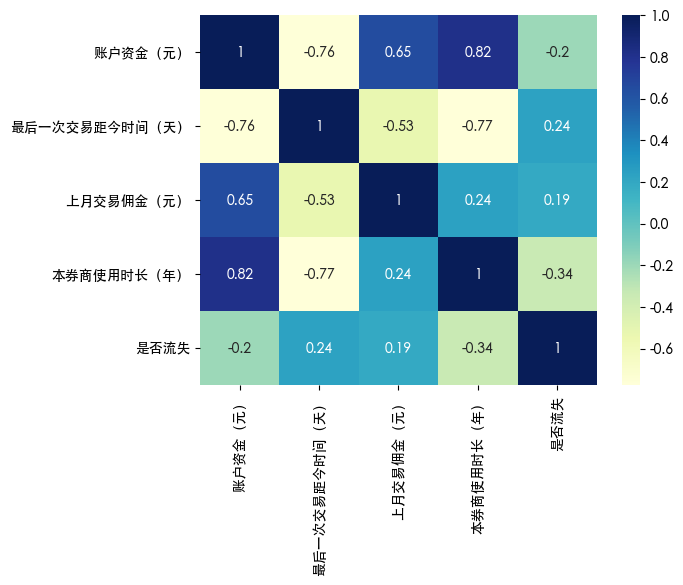
热力图
1
2
3
4
| import seaborn as sns
sns.heatmap(df.corr(), annot=True, cmap='YlGnBu')
plt.show()
|

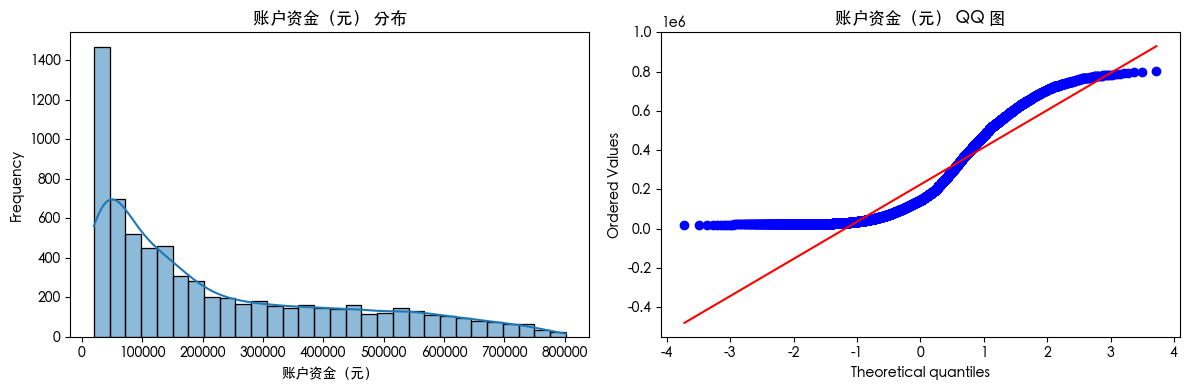
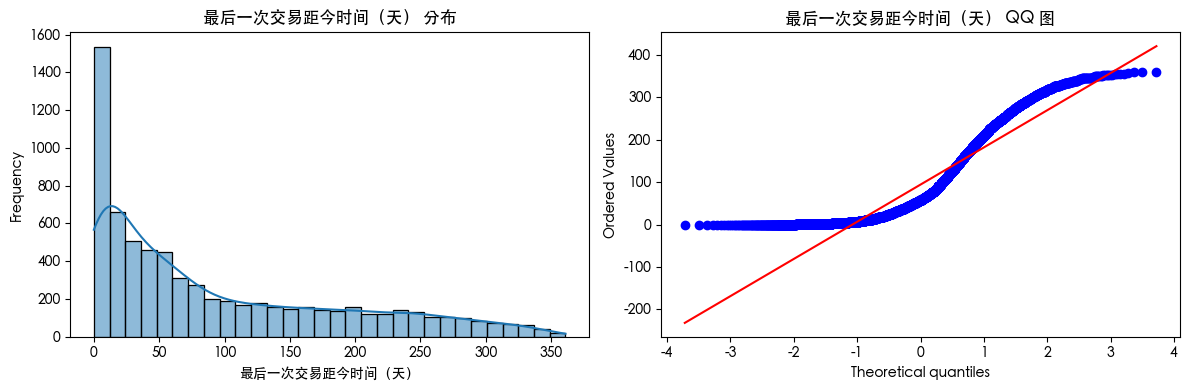
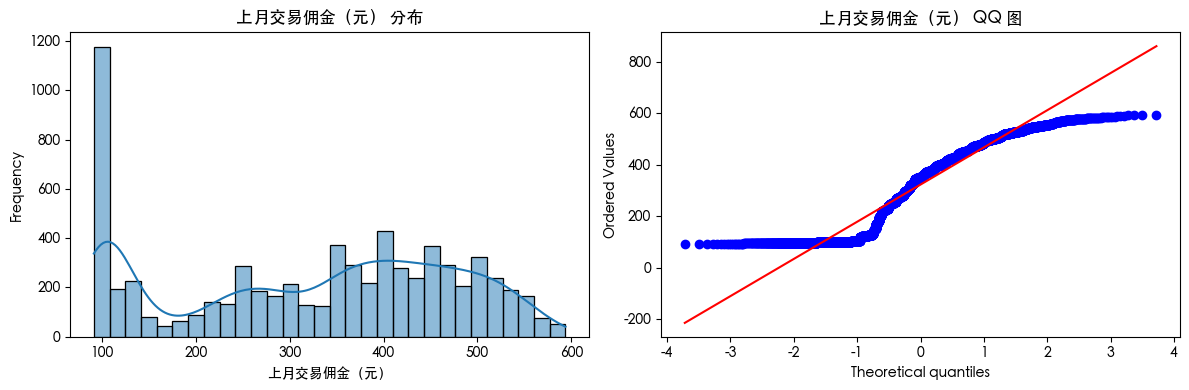
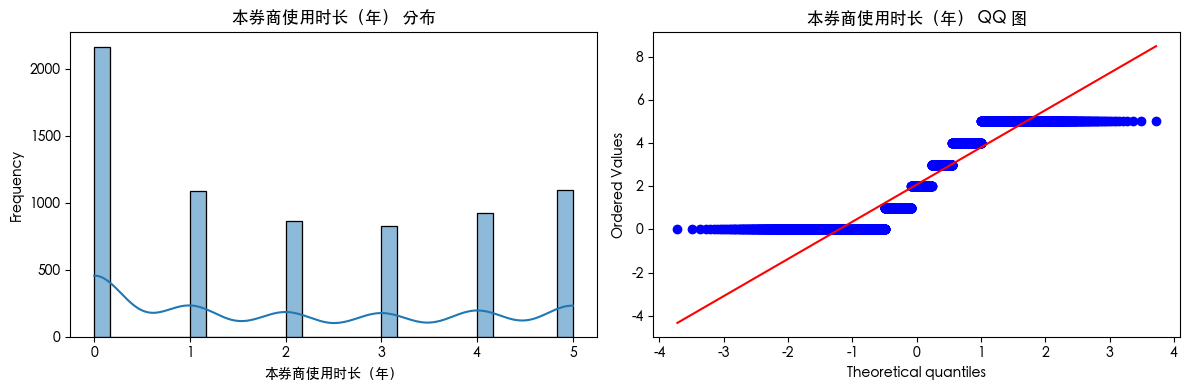
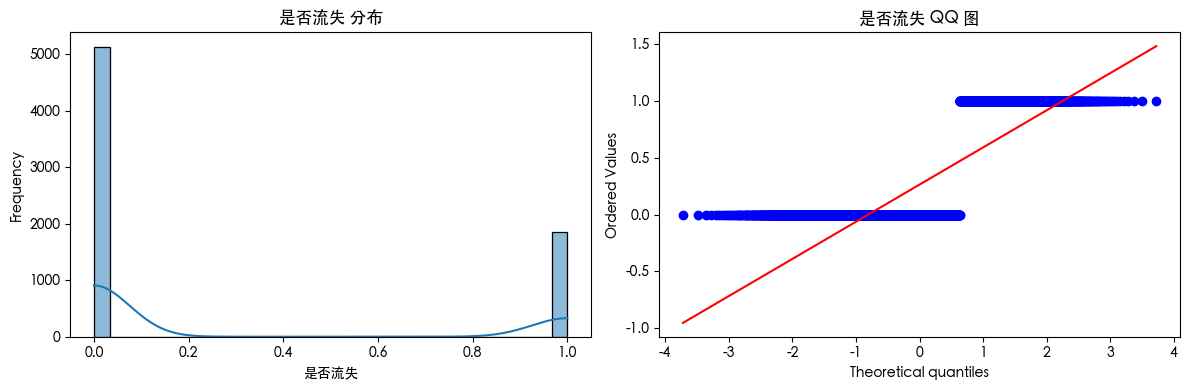
直方图和QQ图
1
2
3
4
5
6
7
8
9
10
11
12
13
14
15
16
17
18
19
| from scipy import stats
for col in df.columns:
plt.figure(figsize=(12, 4))
plt.subplot(1, 2, 1)
sns.histplot(df[col].dropna(), kde=True, bins=30)
plt.title(f'{col} 分布')
plt.xlabel(col)
plt.ylabel('Frequency')
plt.subplot(1, 2, 2)
stats.probplot(df[col].dropna(), dist="norm", plot=plt)
plt.title(f'{col} QQ 图')
plt.tight_layout()
plt.show()
|
缺失值处理
首先查看是否存在缺失值
删除缺失值
1
2
3
4
5
|
df.dropna(thresh=len(df)*0.5, axis=1, inplace=True)
df.dropna(inplace=True)
|
简单填充缺失值
1
2
3
4
5
6
7
8
|
df['age'].fillna(df['age'].median(), inplace=True)
df['gender'].fillna(df['gender'].mode()[0], inplace=True)
df['income'].fillna(-1, inplace=True)
|
模型填充缺失值
1
2
3
4
5
6
7
8
9
10
|
from sklearn.impute import KNNImputer
imputer = KNNImputer(n_neighbors=5)
df_filled = pd.DataFrame(imputer.fit_transform(df), columns=df.columns)
from sklearn.experimental import enable_iterative_imputer
from sklearn.impute import IterativeImputer
imp = IterativeImputer(random_state=0)
df_filled = pd.DataFrame(imp.fit_transform(df), columns=df.columns)
|
保留缺失值
缺失值本身可能就是一种信息
1
2
3
4
5
|
df['income_missing'] = df['income'].isnull().astype(int)
df['occupation'].fillna('Missing', inplace=True)
|
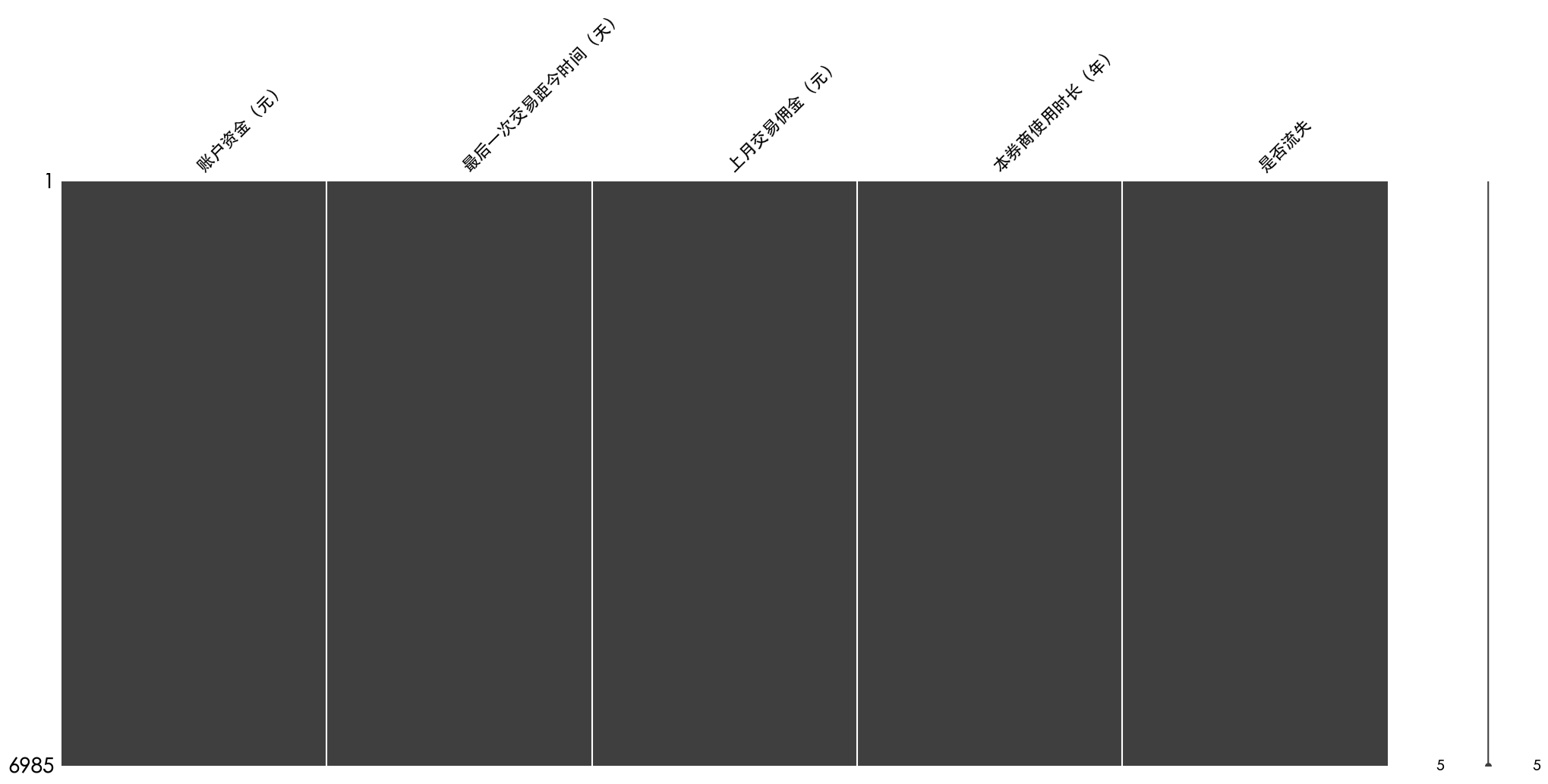
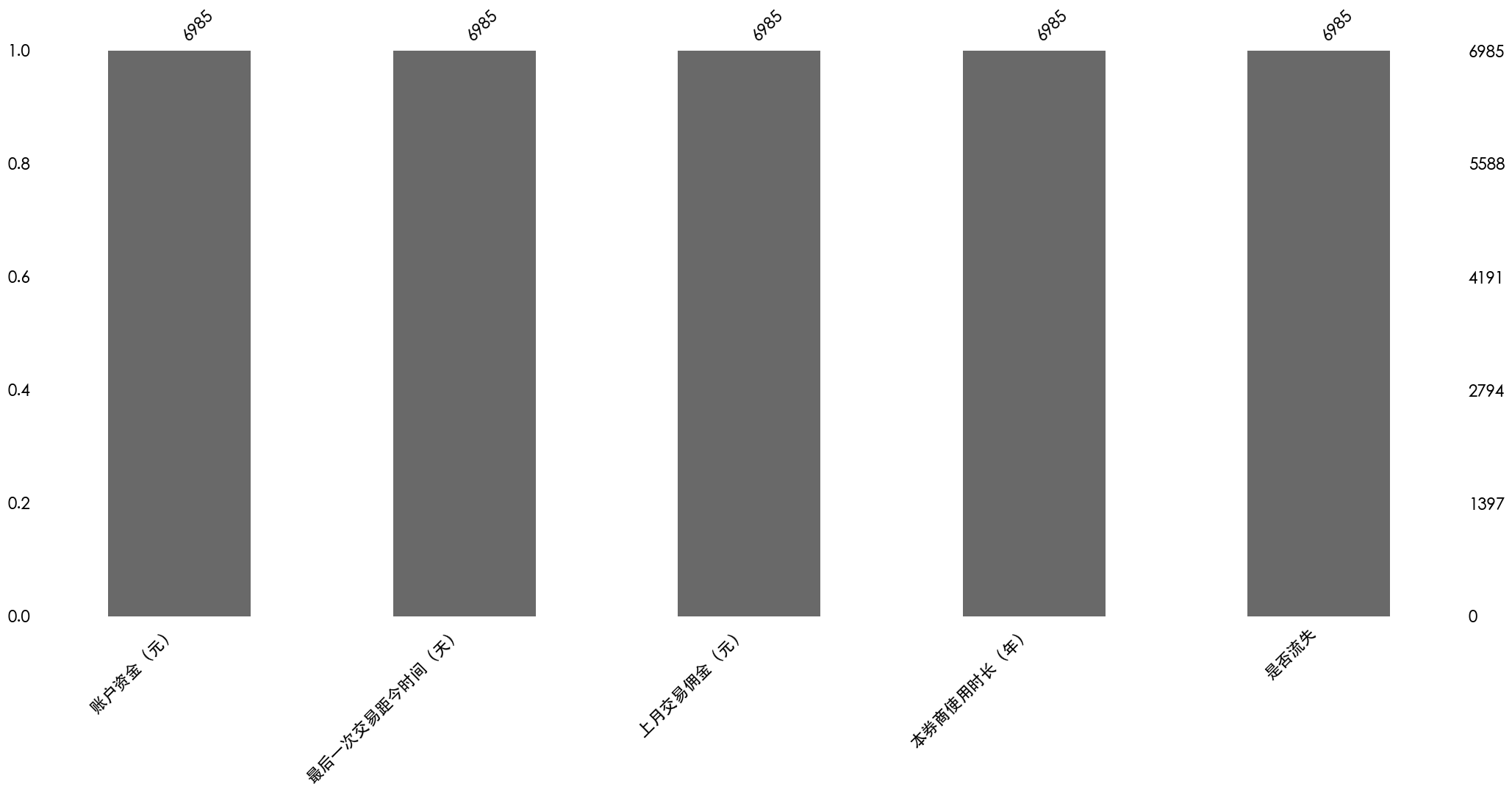
可视化缺失值
1
2
3
4
5
6
7
8
9
10
11
12
13
14
| import missingno as msno
import matplotlib.pyplot as plt
msno.matrix(df)
plt.show()
msno.bar(df)
plt.show()
msno.heatmap(df)
plt.show()
|
热力图是空白的是因为数据集中没有缺失值
异常值检测
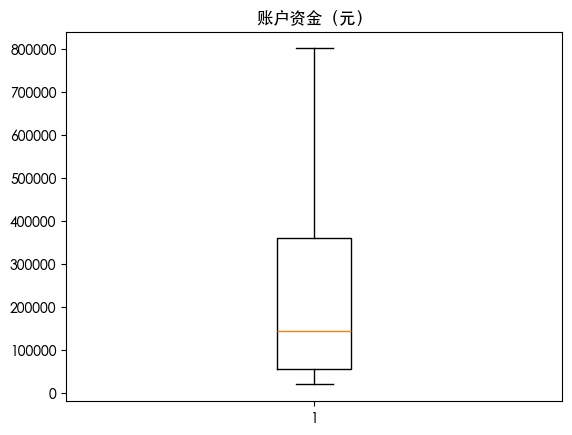
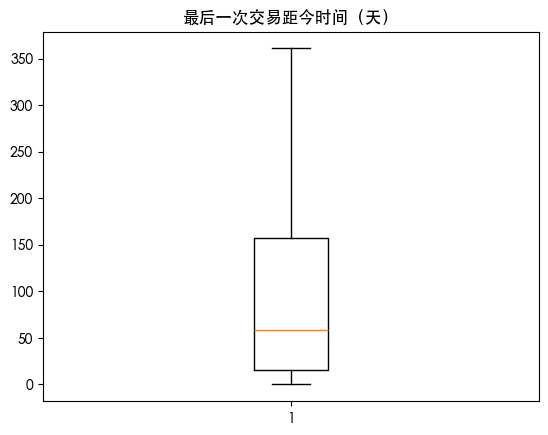
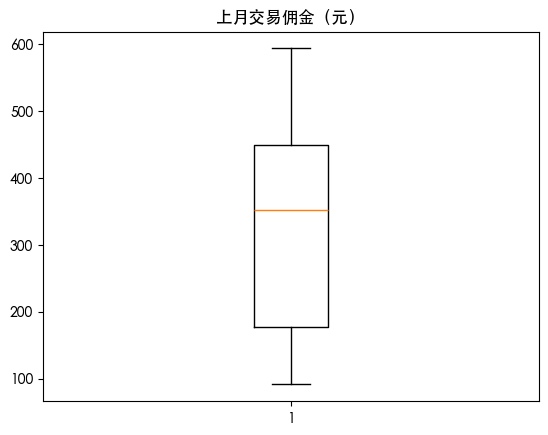
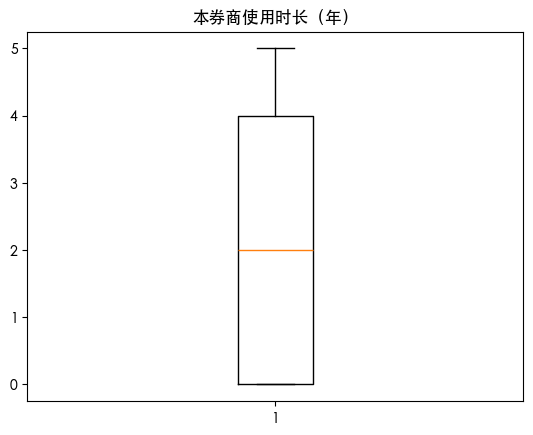
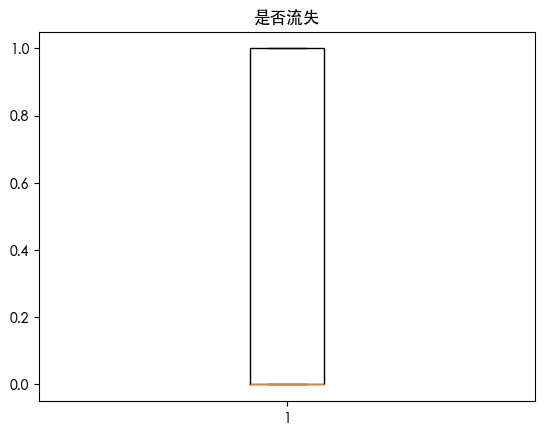
箱线图可视化异常值
1
2
3
4
| for col in df.columns:
plt.boxplot(df[col])
plt.title(col)
plt.show()
|
3 Sigma 准则检测
1
2
3
4
5
6
7
| from scipy import stats
import numpy as np
for col in df.columns:
z_scores = np.abs(stats.zscore(df[col].dropna()))
outliers = df[z_scores > 3]
print(f"列 {col} 中的异常值数量: {len(outliers)}")
|
列 账户资金(元) 中的异常值数量: 0
列 最后一次交易距今时间(天) 中的异常值数量: 0
列 上月交易佣金(元) 中的异常值数量: 0
列 本券商使用时长(年) 中的异常值数量: 0
列 是否流失 中的异常值数量: 0
IQR检测
1
2
3
4
5
6
7
8
9
10
| for col in df.columns:
Q1 = df[col].quantile(0.25)
Q3 = df[col].quantile(0.75)
IQR = Q3 - Q1
lower_bound = Q1 - 1.5 * IQR
upper_bound = Q3 + 1.5 * IQR
outliers = df[(df[col] < lower_bound) | (df[col] > upper_bound)]
print(f"列 {col} 中的异常值数量: {len(outliers)}")
|
列 账户资金(元) 中的异常值数量: 0
列 最后一次交易距今时间(天) 中的异常值数量: 0
列 上月交易佣金(元) 中的异常值数量: 0
列 本券商使用时长(年) 中的异常值数量: 0
列 是否流失 中的异常值数量: 0
百分位数检测
1
2
3
4
5
| for col in df.columns:
lower = df[col].quantile(0.01)
upper = df[col].quantile(0.99)
df_clipped = df[(df[col] >= lower) & (df[col] <= upper)]
print(f"列 {col} 中的异常值数量: {len(df) - len(df_clipped)}")
|
列 账户资金(元) 中的异常值数量: 135
列 最后一次交易距今时间(天) 中的异常值数量: 66
列 上月交易佣金(元) 中的异常值数量: 135
列 本券商使用时长(年) 中的异常值数量: 0
列 是否流失 中的异常值数量: 0
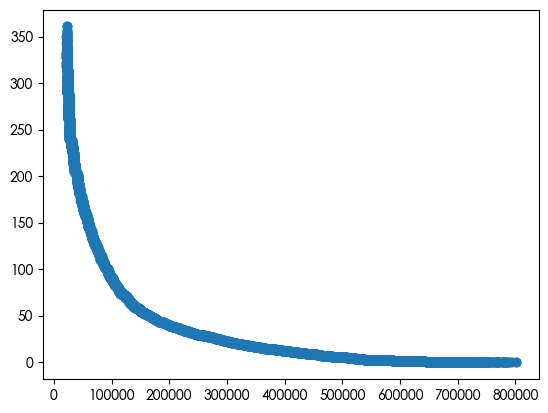
散点图查看数值型特征之间的关系
1
2
| plt.scatter(df['账户资金(元)'], df['最后一次交易距今时间(天)'])
plt.show()
|
孤立森林检测
1
2
3
4
5
| from sklearn.ensemble import IsolationForest
iso = IsolationForest(contamination=0.05)
df['anomaly'] = iso.fit_predict(df[['账户资金(元)', '最后一次交易距今时间(天)']])
outliers = df[df['anomaly'] == -1]
print(f"检测到的异常值数量: {len(outliers)}")
|
检测到的异常值数量: 349
异常值处理
直接删除
1
| df = df[~outliers].copy()
|
截断
1
2
3
4
5
6
7
8
9
10
| def winsorize_iqr(df, col, factor=1.5):
"""用 IQR 边界截断异常值"""
Q1 = df[col].quantile(0.25)
Q3 = df[col].quantile(0.75)
IQR = Q3 - Q1
lower_bound = Q1 - factor * IQR
upper_bound = Q3 + factor * IQR
return df[col].clip(lower=lower_bound, upper=upper_bound)
df['income_winsorized'] = winsorize_iqr(df, 'income', factor=3)
|
z-score处理
1
2
3
4
5
6
7
8
9
10
| def detect_outliers_zscore(df, col, threshold=3):
"""使用 Z-score 检测异常值"""
z_scores = np.abs(stats.zscore(df[col].dropna()))
outlier_mask = np.zeros(len(df), dtype=bool)
outlier_mask[df[col].notna()] = z_scores > threshold
return outlier_mask
z_outliers = detect_outliers_zscore(df, 'score', threshold=3)
df['score_clean'] = df['score'].where(~z_outliers, df['score'].median())
|
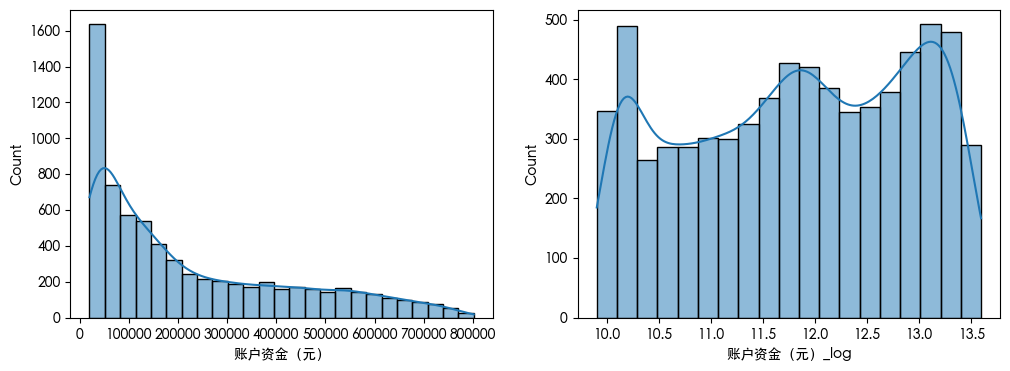
对数变换
1
2
3
4
5
6
7
8
9
10
11
12
13
|
import numpy as np
import seaborn as sns
df['账户资金(元)_log'] = np.log1p(df['账户资金(元)'])
plt.figure(figsize=(12, 4))
plt.subplot(1, 2, 1)
sns.histplot(df['账户资金(元)'], kde=True)
plt.subplot(1, 2, 2)
sns.histplot(df['账户资金(元)_log'], kde=True)
plt.show()
|
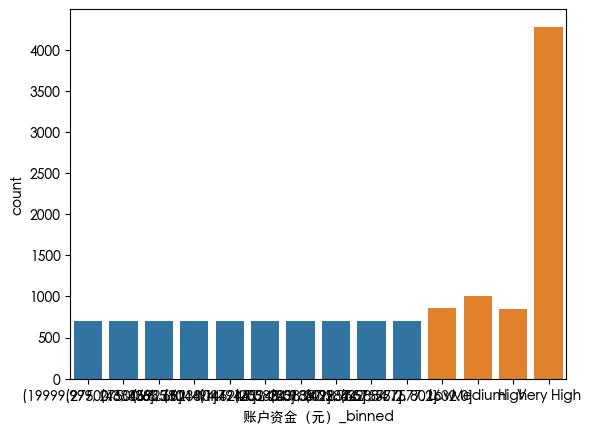
分箱
1
2
3
4
5
6
7
8
9
10
11
|
df['账户资金(元)_binned'] = pd.qcut(df['账户资金(元)'], q=10, duplicates='drop')
sns.countplot(x=df['账户资金(元)_binned'])
bins = [0, 30000, 60000, 100000, np.inf]
labels = ['Low', 'Medium', 'High', 'Very High']
df['账户资金(元)_group'] = pd.cut(df['账户资金(元)'], bins=bins, labels=labels, include_lowest=True)
sns.countplot(x=df['账户资金(元)_group'])
plt.show()
|
保留异常值
有时候异常值本身就是一种信号 例如借款金额非常大的值
1
| df['账户资金(元)_is_outlier'] = (df['账户资金(元)'] > 200000).astype(int)
|